
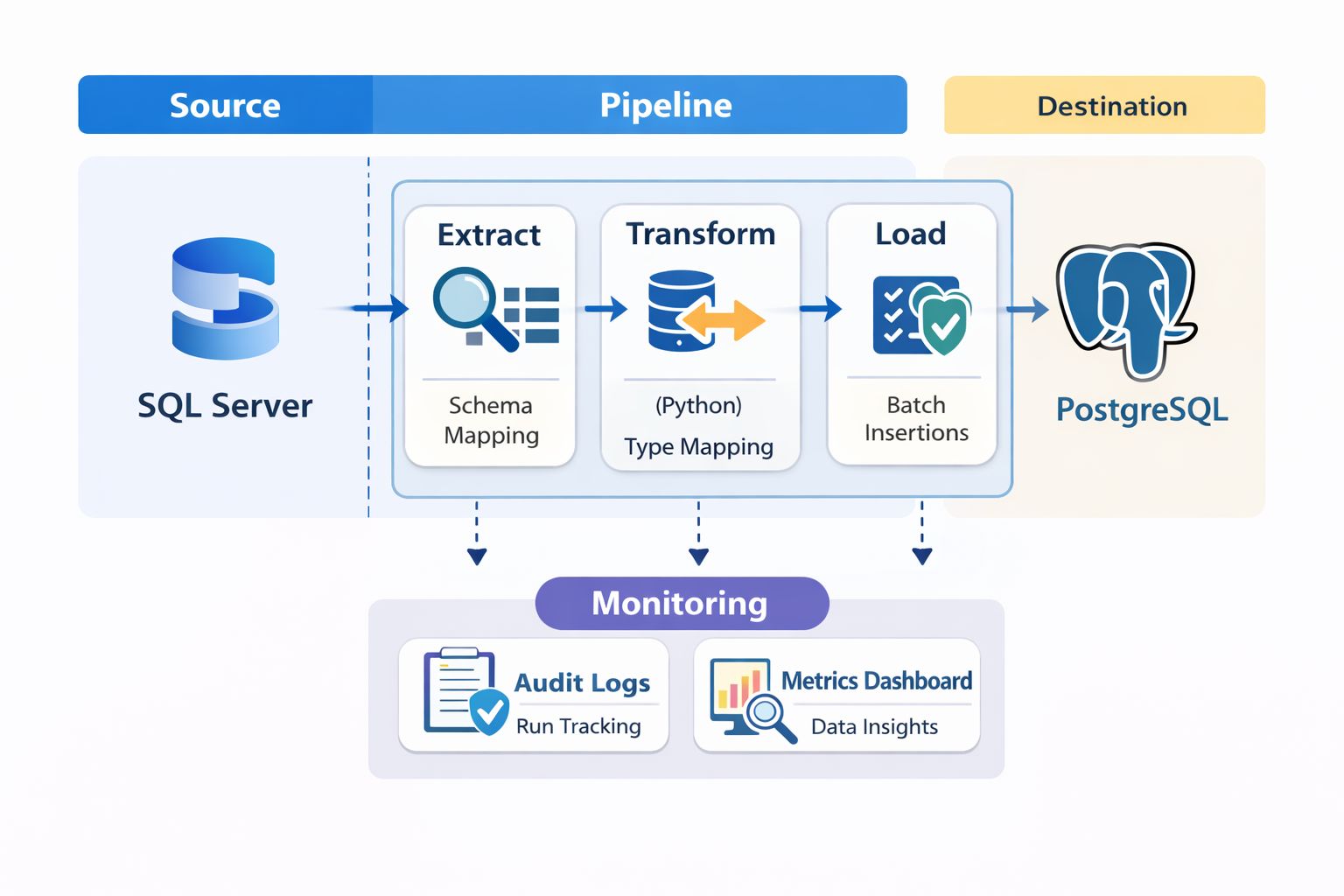
Building a Reliable SQL Server to PostgreSQL Migration Pipeline with Python
Learn how to build a production-ready data migration pipeline from SQL Server to PostgreSQL using Python. Covers schema discovery, chunked loads, validation, and audit logging.
Anyone can move data from point A to point B. The real challenge is building a migration pipeline you can trust—one that's repeatable, auditable, and doesn't leave you wondering whether that critical customer table actually made it across intact.
I recently built a migration pipeline to transition a production workload from SQL Server to PostgreSQL using Python and SQL. This post breaks down the architecture, the decisions behind it, and the lessons learned along the way.
Why Migrate from SQL Server to PostgreSQL?
Before diving into the how, let's address the why. SQL Server is a solid database, but there are compelling reasons organisations are making the switch:
Cost reduction is often the primary driver. SQL Server licensing fees add up quickly, especially at scale. PostgreSQL is open-source with no per-core licensing costs.
Cloud flexibility matters more than ever. PostgreSQL runs natively on AWS (RDS, Aurora), Google Cloud SQL, Azure, Digital Ocean, and virtually every cloud provider. You're not locked into a specific ecosystem.
Feature parity has reached the point where PostgreSQL handles most enterprise workloads comfortably—JSON support, full-text search, advanced indexing, and extensions like PostGIS for geospatial data.
Community and ecosystem around PostgreSQL is thriving. The tooling, documentation, and community support have matured significantly.
That said, migration isn't trivial. The databases handle data types differently, stored procedures need rewriting, and you need confidence that every row arrived correctly.
Pipeline Architecture Overview
Rather than a one-shot migration script, I designed a modular pipeline with distinct stages. Each stage is independently testable and logged.
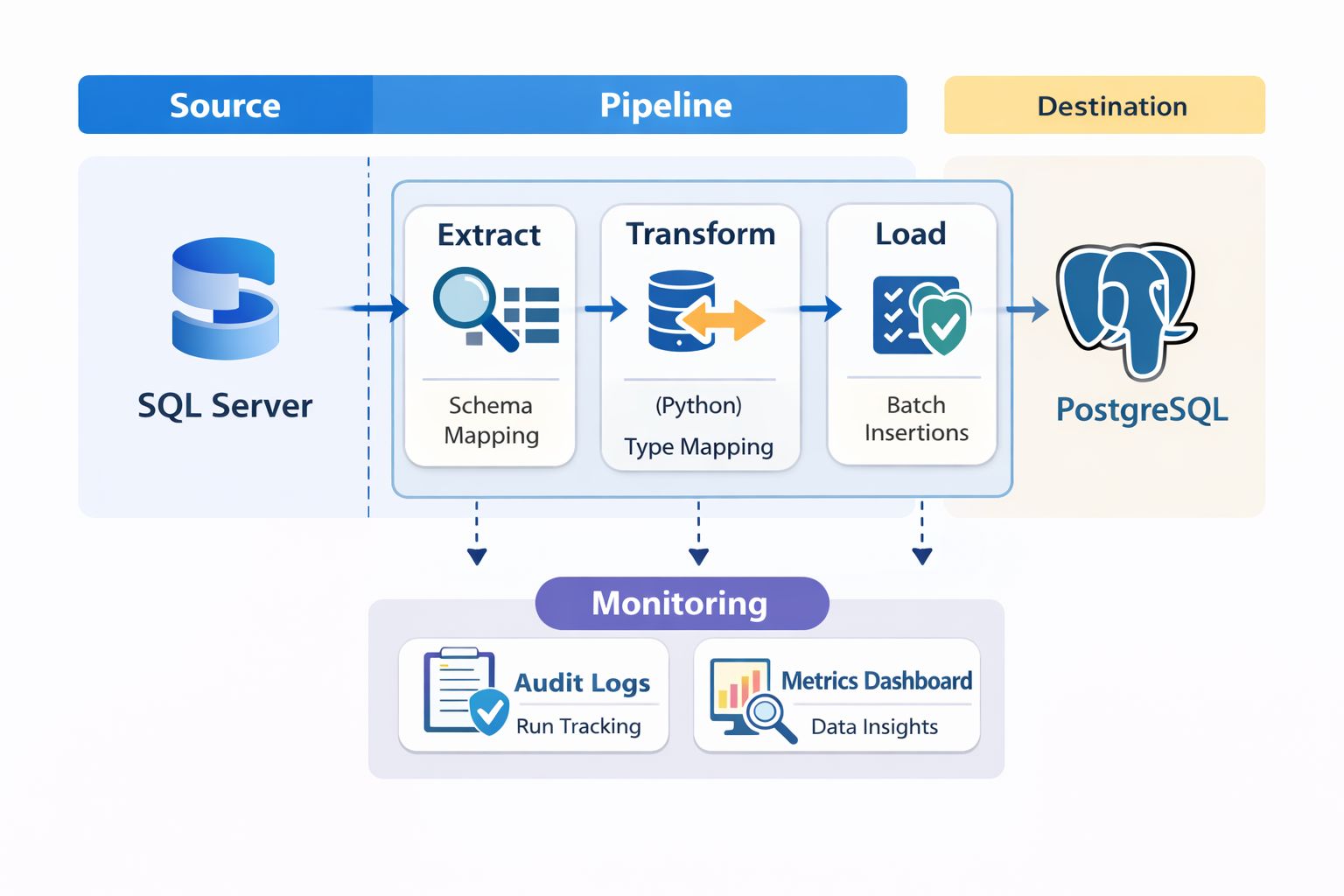
The pipeline breaks down into these components:
Schema Discovery – Programmatically extract source schema metadata
Schema Conversion – Map SQL Server types to PostgreSQL equivalents
Data Extraction – Pull data in manageable chunks
Data Loading – Insert into PostgreSQL with transaction control
Validation – Verify counts, keys, and data integrity
Audit Logging – Track everything for troubleshooting and compliance
Let's walk through each component.
Schema Discovery: Know What You're Moving
You can't migrate what you don't understand. The first step is programmatically discovering the source schema rather than relying on documentation that may be outdated.
In SQL Server, the INFORMATION_SCHEMA views are your friend:
SELECT
    TABLE_SCHEMA,
    TABLE_NAME,
    COLUMN_NAME,
    DATA_TYPE,
    CHARACTER_MAXIMUM_LENGTH,
    NUMERIC_PRECISION,
    NUMERIC_SCALE,
    IS_NULLABLE
FROM INFORMATION_SCHEMA.COLUMNS
WHERE TABLE_SCHEMA NOT IN ('sys', 'INFORMATION_SCHEMA')
ORDER BY TABLE_SCHEMA, TABLE_NAME, ORDINAL_POSITION;
On the Python side, I used pyodbc for SQL Server connections and built a discovery module that outputs a structured JSON representation of every table, column, constraint, and index.
def discover_schema(connection) -> dict:
    """Extract complete schema metadata from SQL Server."""    schema = {
        'tables': {},
        'primary_keys': {},
        'foreign_keys': {},
        'indexes': {}
    }
    # Query INFORMATION_SCHEMA and sys tables    # Build comprehensive schema dictionary    return schema
This schema dictionary becomes the source of truth for everything that follows.
Data Type Mapping: Where Things Get Tricky
SQL Server and PostgreSQL don't speak exactly the same language when it comes to data types. Some mappings are straightforward; others require decisions.
Here's the mapping table I used:
SQL Server Type | PostgreSQL Type | Notes |
|---|---|---|
INT | INTEGER | Direct mapping |
BIGINT | BIGINT | Direct mapping |
BIT | BOOLEAN | Convert 0/1 to false/true |
DATETIME | TIMESTAMP | Watch for precision differences |
DATETIME2 | TIMESTAMP | PostgreSQL handles microseconds |
NVARCHAR(MAX) | TEXT | No length limit needed |
NVARCHAR(n) | VARCHAR(n) | Preserve length constraints |
UNIQUEIDENTIFIER | UUID | Native UUID support in PostgreSQL |
MONEY | NUMERIC(19,4) | Explicit precision is safer |
IMAGE / VARBINARY | BYTEA | Binary data handling differs |
The tricky cases:
DATETIME precision: SQL Server's DATETIME has a precision of approximately 3.33 milliseconds. PostgreSQL's TIMESTAMP is more precise. This usually isn't a problem, but if you're doing exact datetime comparisons in validation, be aware.
BIT to BOOLEAN: SQL Server stores BIT as 0 or 1. You need explicit conversion when inserting into PostgreSQL.
IDENTITY columns: SQL Server uses IDENTITY; PostgreSQL uses SERIAL or GENERATED AS IDENTITY. I opted for BIGSERIAL for primary keys and reset sequences after data load.
I built a mapping function that handles these conversions:
TYPE_MAPPING = {
    'int': 'INTEGER',
    'bigint': 'BIGINT',
    'bit': 'BOOLEAN',
    'datetime': 'TIMESTAMP',
    'datetime2': 'TIMESTAMP',
    'nvarchar': 'VARCHAR',
    'uniqueidentifier': 'UUID',
    # ... complete mapping}

def map_column_type(sql_server_type: str, length: int = None) -> str:
    """Convert SQL Server type to PostgreSQL equivalent."""    base_type = TYPE_MAPPING.get(sql_server_type.lower())
    if base_type == 'VARCHAR' and length:
        return f'VARCHAR({length})' if length < 8000 else 'TEXT'    return base_type
Chunked Loading: Handling Large Tables Without Pain
Attempting to migrate a 50-million-row table in a single transaction is a recipe for disaster. Memory exhaustion, transaction timeouts, and zero visibility into progress.
Chunked loading solves this:
def migrate_table_chunked(
    source_conn,
    target_conn,
    table_name: str,
    chunk_size: int = 10000,
    order_by: str = 'id'):
    """Migrate table data in manageable chunks."""    offset = 0    total_migrated = 0
    while True:
        # Extract chunk from source        query = f"""
            SELECT * FROM {table_name}
            ORDER BY {order_by}
            OFFSET {offset} ROWS
            FETCH NEXT {chunk_size} ROWS ONLY
        """        rows = source_conn.execute(query).fetchall()

        if not rows:
            break
        # Load chunk to target        insert_rows(target_conn, table_name, rows)

        total_migrated += len(rows)
        offset += chunk_size

        logger.info(f"{table_name}: Migrated {total_migrated} rows")

    return total_migrated
Chunk size tuning matters. Too small and you're making excessive round trips. Too large and you risk memory issues. I found 10,000–50,000 rows per chunk works well for most tables, but tables with large TEXT or BYTEA columns need smaller chunks.
Order consistency is critical. Always use a deterministic ORDER BY clause—typically the primary key. Without it, you might get duplicate or missing rows across chunks.
Resumability: For very large tables, I added checkpoint logging. If the migration fails mid-table, you can resume from the last successful chunk rather than starting over.
Audit Logging: Track Everything
Every migration decision and action gets logged to an audit table:
CREATE TABLE migration_audit (
    id SERIAL PRIMARY KEY,
    run_id UUID NOT NULL,
    table_name VARCHAR(255),
    operation VARCHAR(50),
    rows_affected INTEGER,
    status VARCHAR(20),
    error_message TEXT,
    started_at TIMESTAMP DEFAULT NOW(),
    completed_at TIMESTAMP,
    metadata JSONB
);
The run_id groups all operations from a single migration execution. The metadata JSONB column captures anything else useful—chunk numbers, source queries, configuration parameters.
This audit trail is invaluable when something goes wrong three weeks later and you need to understand exactly what happened.
Validation Checks: Trust but Verify
Validation is non-negotiable. I implemented three levels:
Row Count Validation
The simplest check—do the counts match?
def validate_row_counts(source_conn, target_conn, tables: list) -> dict:
    """Compare row counts between source and target."""    results = {}
    for table in tables:
        source_count = source_conn.execute(
            f"SELECT COUNT(*) FROM {table}"        ).scalar()
        target_count = target_conn.execute(
            f"SELECT COUNT(*) FROM {table}"        ).scalar()

        results[table] = {
            'source': source_count,
            'target': target_count,
            'match': source_count == target_count
        }
    return results
Primary Key Integrity
Verify that all primary keys made it across and there are no duplicates:
def validate_primary_keys(source_conn, target_conn, table: str, pk_column: str):
    """Ensure all PKs exist in target and no duplicates."""    # Check for missing keys    missing = source_conn.execute(f"""
        SELECT {pk_column} FROM {table}
        EXCEPT
        SELECT {pk_column} FROM target_db.{table}
    """).fetchall()

    # Check for duplicates in target    duplicates = target_conn.execute(f"""
        SELECT {pk_column}, COUNT(*)
        FROM {table}
        GROUP BY {pk_column}
        HAVING COUNT(*) > 1
    """).fetchall()

    return {'missing': missing, 'duplicates': duplicates}
Referential Integrity
After migration, verify foreign key relationships still hold:
def validate_foreign_keys(target_conn, fk_definitions: list):
    """Check all foreign key relationships are valid."""    orphans = {}
    for fk in fk_definitions:
        query = f"""
            SELECT COUNT(*) FROM {fk['child_table']} c
            LEFT JOIN {fk['parent_table']} p
                ON c.{fk['child_column']} = p.{fk['parent_column']}
            WHERE c.{fk['child_column']} IS NOT NULL
            AND p.{fk['parent_column']} IS NULL
        """        orphan_count = target_conn.execute(query).scalar()
        if orphan_count > 0:
            orphans[fk['constraint_name']] = orphan_count
    return orphans
Structured Logging: Debug Without the Headache
Print statements don't cut it for production pipelines. I used Python's structlog for structured, JSON-formatted logs:
import structlog

logger = structlog.get_logger()

logger.info(
    "chunk_migrated",
    table=table_name,
    chunk_number=chunk_num,
    rows_in_chunk=len(rows),
    total_migrated=total_migrated,
    elapsed_seconds=elapsed
)
Output:
{
    "event": "chunk_migrated",
    "table": "orders",
    "chunk_number": 42,
    "rows_in_chunk": 10000,
    "total_migrated": 420000,
    "elapsed_seconds": 2.34,
    "timestamp": "2025-01-15T14:32:01Z"}
These logs ship to CloudWatch (or your logging platform of choice) and make debugging straightforward. When a validation fails, you can trace back through the exact sequence of operations.
Lessons Learned and Common Pitfalls
After completing the migration, here's what I'd emphasise:
Test on realistic data volumes. A pipeline that works on 1,000 rows might fall apart at 10 million. Test with production-scale data early.
Handle NULLs explicitly. SQL Server and PostgreSQL handle NULLs in comparisons and string concatenation differently. Audit your application code.
Sequence reset is easy to forget. After loading data with explicit IDs, reset PostgreSQL sequences to avoid primary key collisions on new inserts:
SELECT setval('table_name_id_seq', (SELECT MAX(id) FROM table_name));
Collation differences matter. String sorting and comparison can behave differently. If your application relies on specific sort orders, test thoroughly.
Plan for rollback. Keep your source database intact and have a clear rollback procedure until you've validated the migration in production.
Automate everything. If you run the migration once, you'll run it ten times during testing. Make it fully automated and idempotent.
What's Next
The pipeline I've described handles the core data migration. Depending on your workload, you may also need to address:
Stored procedure conversion (this often requires manual rewriting)
Application connection string updates and testing
Performance tuning on the new PostgreSQL instance
Monitoring and alerting setup
Migration projects like this reinforce why building reliable, observable data pipelines matters. The goal isn't just moving data—it's moving it with confidence.
Frequently Asked Questions
How long does a SQL Server to PostgreSQL migration take?
Timeline depends heavily on data volume, schema complexity, and how many stored procedures need rewriting. A straightforward migration of a 100GB database with simple schemas might take 2–4 weeks including testing. Complex migrations with extensive business logic in stored procedures can take months.
Can I migrate SQL Server to PostgreSQL without downtime?
Near-zero downtime migration is possible using change data capture (CDC) and replication tools. You run the bulk migration, then continuously sync changes until cutover. Tools like AWS DMS or Debezium can help, though they add complexity.
What tools can I use for SQL Server to PostgreSQL migration?
Options include AWS Database Migration Service (DMS), pgLoader, ora2pg (works for SQL Server too), and custom Python pipelines like the one described here. The right choice depends on your specific requirements for control, validation, and customisation.
Should I migrate stored procedures or rewrite application logic?
This is a case-by-case decision. Simple procedures can often be converted to PL/pgSQL. Complex business logic is sometimes better moved into application code where it's more testable and maintainable. Evaluate each procedure individually.
Building data pipelines and tackling database migrations is what I do. If you're working on similar challenges or have Data Engineering opportunities in the UK, I'd love to connect.
Written by
Chijioke Ani